
Für fehlerfreie Syntaxen in Playbooks oder gar das automatische Ausführen von Playbooks bieten sich Tools wie gitlab und gitlab-runner an.
Im folgenden Beispiel sollen nur Playbooks auf die Ansible Control Node (ACN) kopiert werden, welche erfolgreich durch den Syntax-Check von ansible-lint gelaufen sind.
Es werden ein gitlab Server und ein gitlab-runner benötigt. Die ACN sollte bereits vorhanden sein.
gitlab Repo einrichten
Es wird ein Projekt im gitlab eingerichtet, hier nennt es sich “pfsense”.
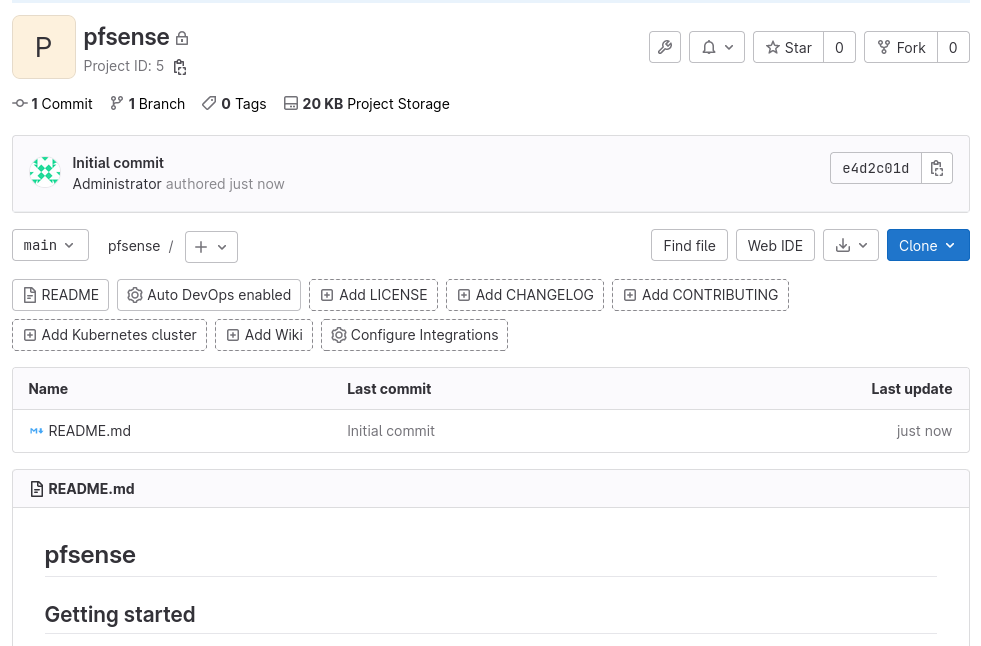
Das Repo wird per git clone git@10.10.10.97:root/pfsense.git geklont.
Die README.md wird geleert und eingecheckt.
1
2
3
4
5
6
7
echo "" > README.md
git add *
git commit -m "init"
[main 836cf99] init
 1 file changed, 1 insertion(+), 92 deletions(-)
 rewrite README.md (99%)
git push
gitlab Runner einrichten
Um automatisch bei einem commit die Playbooks auf ihre richtige Syntax zu prüfen, wird ein runner benötigt. Auf diesen muss sämtliche Software für ansible-lint installiert werden. Der Einfachheit halber wird die Software global installiert und nicht im User Kontext.
Runner installieren
Der Runner wird per Shellskript installiert.
1
2
curl -L "https://packages.gitlab.com/install/repositories/runner/gitlab-runner/script.rpm.sh" | sudo bash
dnf install gitlab-runner -y
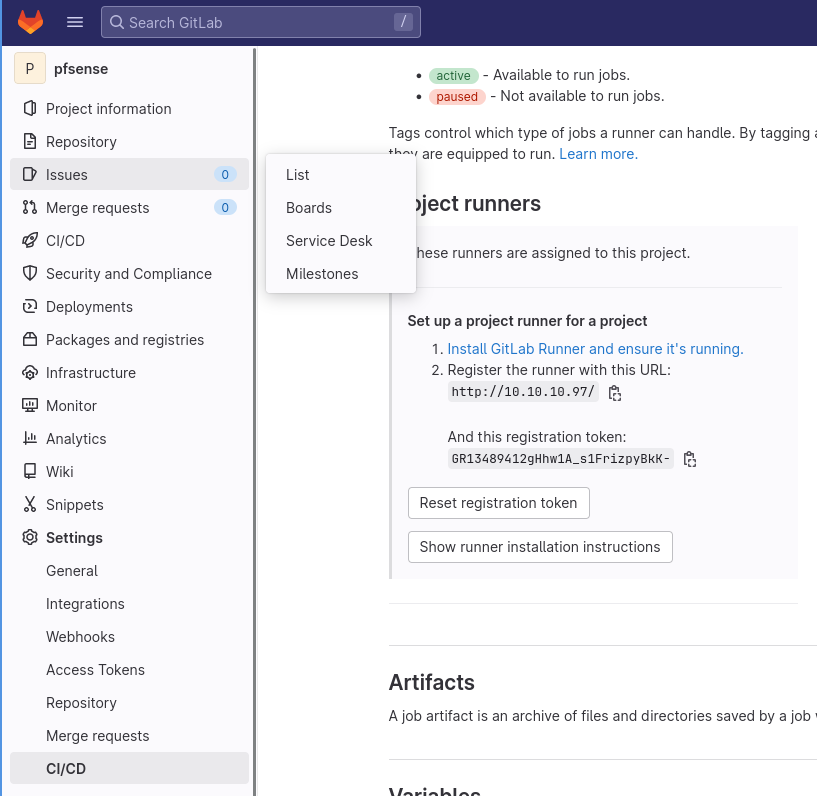
Der Runner muss registriert werden. Dazu wird im gitlab unter Settings-CI/CD der Token ausglesen:
Runner registrieren
Der Runner kann jetzt registriert werden.
1
2
3
4
5
6
7
8
9
10
11
12
13
14
15
16
17
18
19
gitlab-runner register --url http://10.10.10.97/ --registration-token GR1348941ozPELDfBh6ciKzCNajud

Runtime platform                                    arch=amd64 os=linux pid=2675 revision=dcfb4b66 version=15.10.1
Running in system-mode.

Enter the GitLab instance URL (for example, https://gitlab.com/):
[http://10.10.10.97/]:
Enter the registration token:
[GR1348941ozPELDfBh6ciKzCNajud]:
Enter a description for the runner:
[runner3.decon230.org]:
Enter tags for the runner (comma-separated):

Enter optional maintenance note for the runner:

Registering runner... succeeded                     runner=GR1348941ozPELDfB
Enter an executor: virtualbox, docker+machine, instance, custom, docker-ssh, shell, docker-ssh+machine, kubernetes, docker, parallels, ssh:
shell
Runner registered successfully.
Der Runner wird jetzt gestartet.
1
gitlab-runner start
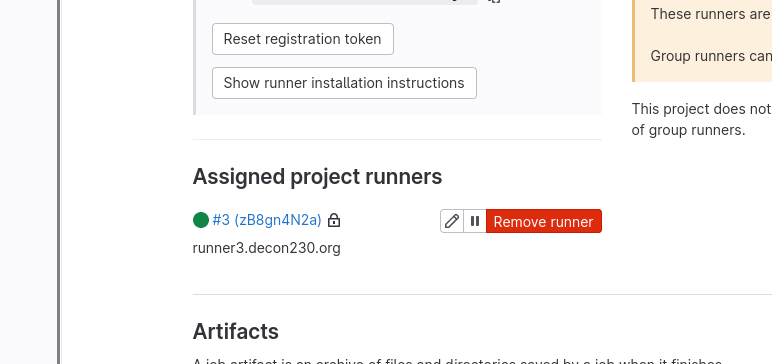
Nach einiger Zeit sollte der Runner im gitlab Repo auftauchen.
Software auf dem Runner installieren
Damit Playbooks (oder was auch immer an Software, Skripten getestet werden soll) geprüft werden können, wird jetzt ansible-lint auf dem Runner installiert.
1
2
3
4
5
6
7
8
9
10
11
12
13
14
15
16
dnf module enable python39
alternatives --config python

There are 3 programs which provide 'python'.

  Selection    Command
-----------------------------------------------
*  1           /usr/libexec/no-python
   2           /usr/bin/python3
 + 3           /usr/bin/python3.9

3

pip3 install ansible-core ansible ansible-lint
dnf -y install yamllint
ansible-galaxy collection install pfsensible.core
Pipe einrichten
Jetzt muss eine Pipe im gitlab Repo eingerichtet werden.
Unter *CI/CD->Editor* wird die .gitlab-ci.yml eingerichtet.
1
2
3
4
5
6
7
8
stages:
  - test

unit-test-job:
  stage: test
  script:
    - echo "Testing Ansible Syntax"
    - ansible-lint pb_pfsense_add_aliases.yml
Anschließend muss das Repo per git pull aktualisiert werden.
Jetzt wird das erste Playbook eingecheckt.
1
2
3
4
5
6
7
8
9
10
11
12
13
14
git add *
git commit -m "1st checkin"
[main 696846a] 1st checkin
 1 file changed, 24 insertions(+)
 create mode 100644 pb_pfsense_add_aliases.yml
heiko@jellyfish:~/virtenv/repo/pfsense$ git push
Enumerating objects: 4, done.
Counting objects: 100% (4/4), done.
Delta compression using up to 8 threads
Compressing objects: 100% (3/3), done.
Writing objects: 100% (3/3), 629 bytes | 629.00 KiB/s, done.
Total 3 (delta 0), reused 0 (delta 0), pack-reused 0
To 10.10.10.97:root/pfsense.git
   deda056..696846a  main -> main
Die ersten Jobs werden fehlschlagen.
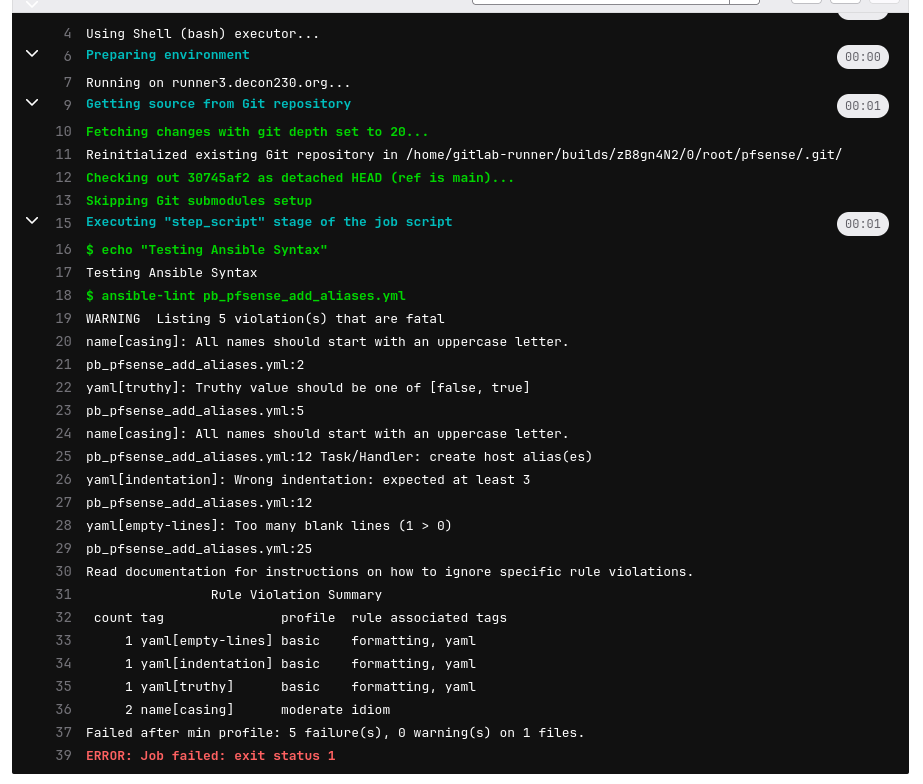
Folgende Dinge werden von ansible-lint moniert:
1
2
3
4
5
6
7
Rule Violation Summary
count tag               profile  rule associated tags
1 yaml[empty-lines] basic    formatting, yaml
1 yaml[indentation] basic    formatting, yaml
1 yaml[truthy]      basic    formatting, yaml
2 name[casing]      moderate idiom
Failed after min profile: 5 failure(s), 0 warning(s) on 1 files.
Es handelt sich primär um Formatierungsfehler.
Diese müssen behoben werden, die Datei wird neu eingecheckt.
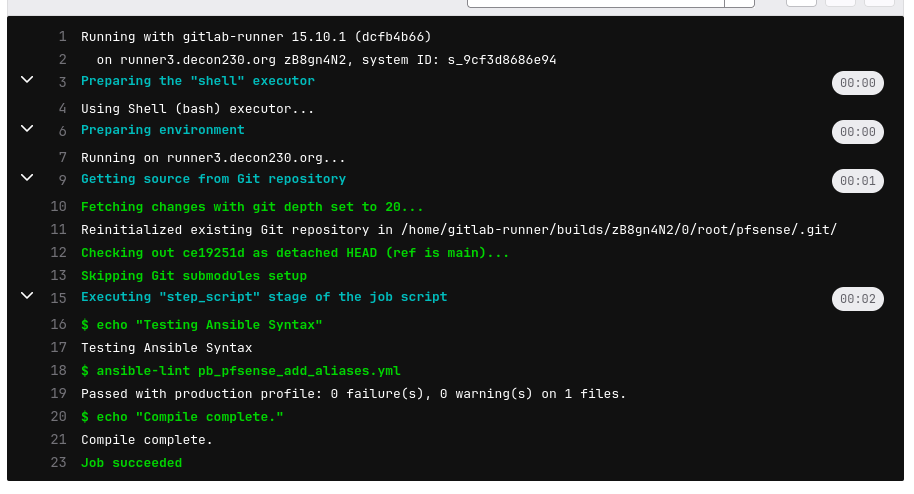
Anschließend wird der Test-Job erfolgreich durchlaufen.
Runner für Deployment vorbereiten
Damit der Runner die Playbooks auf die ACN kopieren kann, werden SSH-Keys benötigt.
1
2
3
4
5
6
7
8
ssh-keygen -t ed25519
Generating public/private ed25519 key pair.
Enter file in which to save the key (/home/gitlab-runner/.ssh/id_ed25519):
Created directory '/home/gitlab-runner/.ssh'.
Enter passphrase (empty for no passphrase):
Enter same passphrase again:
Your identification has been saved in /home/gitlab-runner/.ssh/id_ed25519.
Your public key has been saved in /home/gitlab-runner/.ssh/id_ed25519.pub.
Der SSH Key wird auf die ACN kopiert.
1
ssh-copy-id ansible@10.10.10.95
Jetzt muss die .gitlab-ci.yml erweitert werden.
1
2
3
4
5
6
7
8
9
10
11
12
13
14
15
16
17
stages:
  - test
  - deploy

unit-test-job:
  stage: test
  script:
    - echo "Testing Ansible Syntax"
    - ansible-lint *.yml


deploy-job:
  stage: deploy
  environment: production
  script:
    - echo "Deploying Playbooks"
    - scp -r * ansible@10.10.10.95:/home/ansible
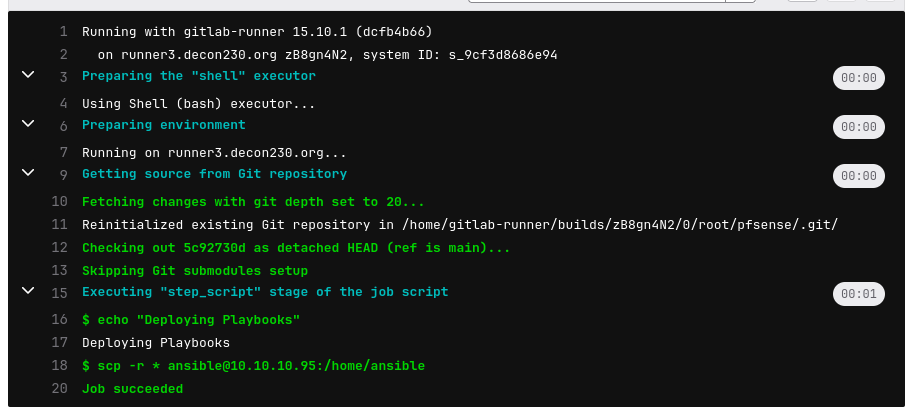
Der Job sollte erfolgreich durchlaufen und die Playbooks auf die ACN kopieren.
1
2
3
4
5
[root@ctlnode ~]# tree ~ansible/
/home/ansible/
|-- README.md
`-- pb_pfsense_add_aliases.yml
Damit funktioniert die Verteilung der Playbooks. Jetzt können noch weitere Jobs eingebaut werden, wie bspw. das automatische Ausführen der Playbooks.